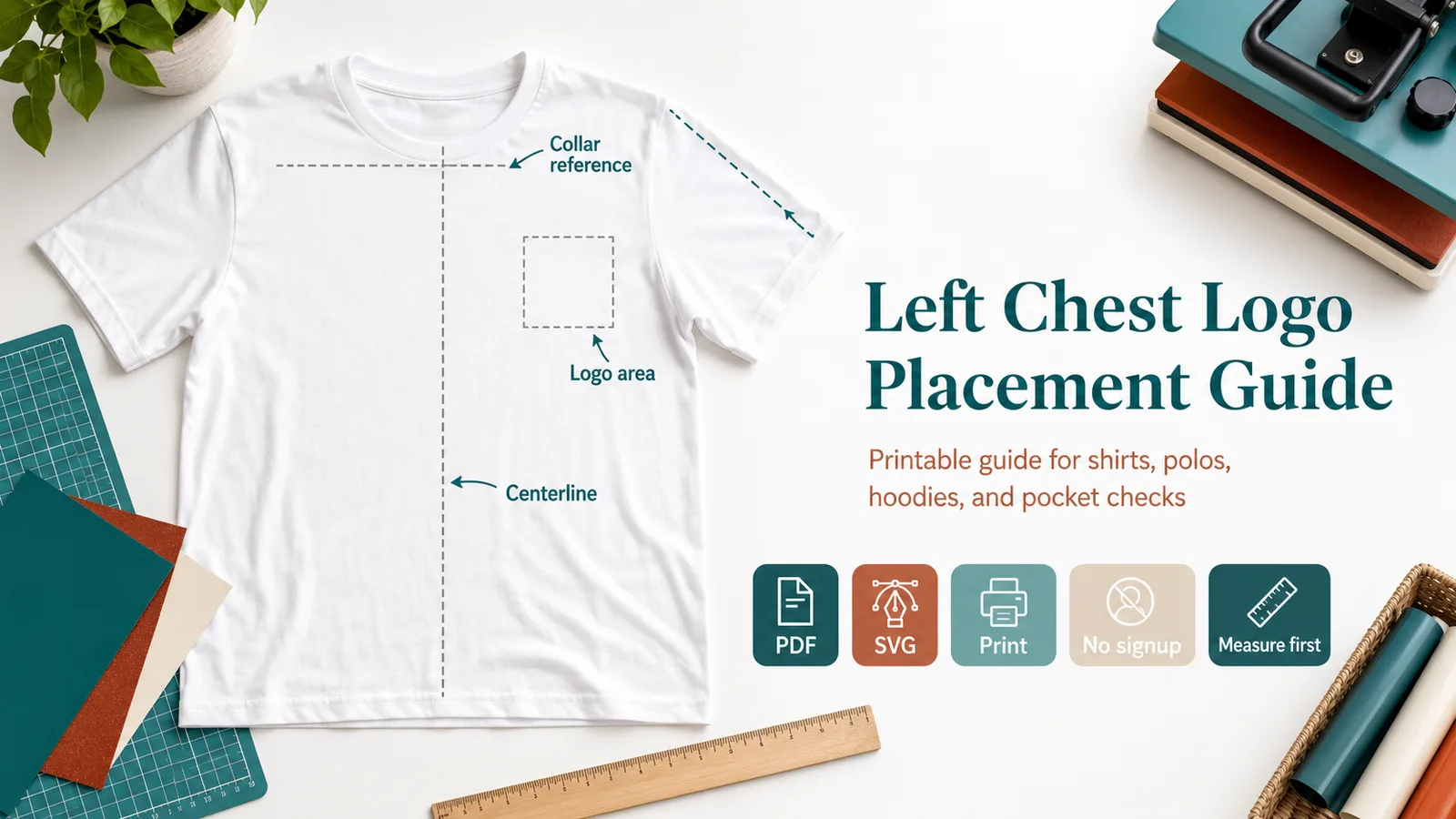
Printable Left Chest Placement Tool
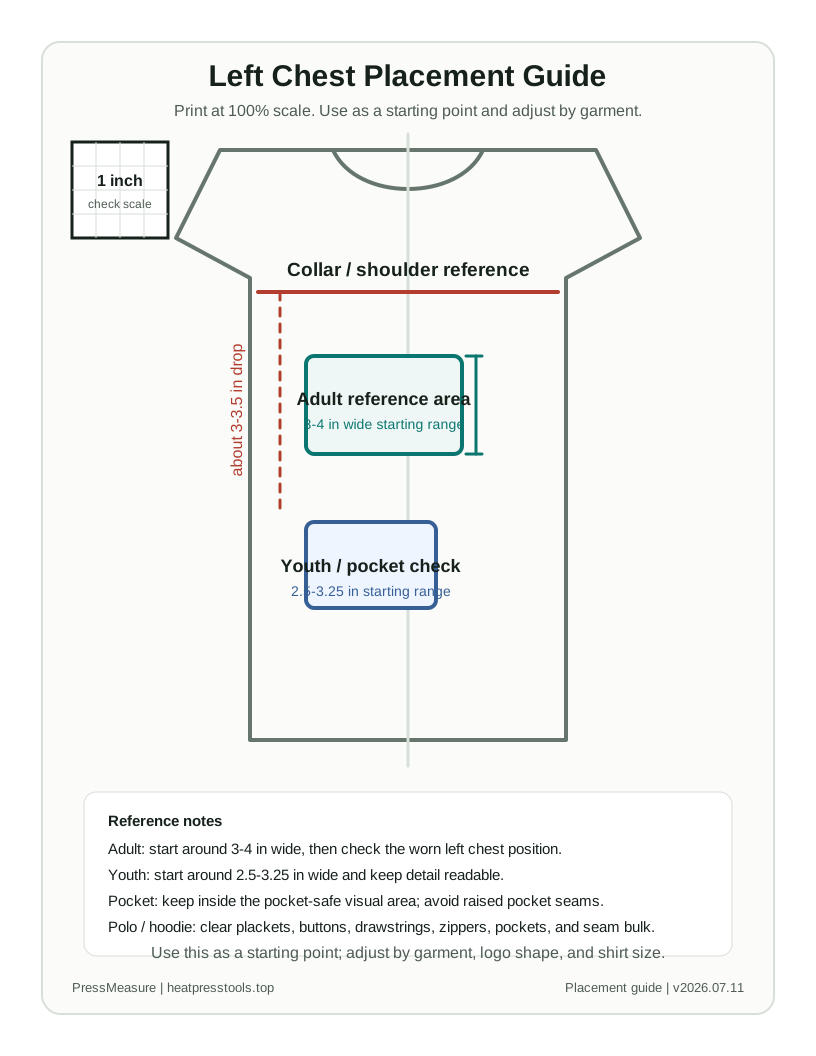
Use this printable guide as a ruler-style starting point for left chest logo alignment. Print at 100% scale, confirm the 1 inch calibration square, then adjust for the actual garment.
Printable guide
Left Chest Placement Guide
Use this as a starting point; adjust by garment, logo shape, and shirt size.
Before pressing, print at 100% scale and check that the calibration square measures exactly 1 inch.
Adult reference
Start around 3-4 in wide and about 3-3.5 in below the collar line, then check the worn left chest position.
Youth reference
Start around 2.5-3.25 in wide and keep text or fine detail bold enough to read after pressing.
Pocket warning
Keep the logo inside the pocket-safe visual area and do not press across raised pocket seams.
Polo warning
Clear the placket, buttons, collar structure, and thick seams before choosing the final offset.
Hoodie warning
Check drawstrings, kangaroo pocket position, zipper bulk, and press-pillow contact before production.
Left chest logo size and placement by garment type
Use this table before the calculator when you only need a quick placement range. The calculator below is better when you know the flat chest width or logo aspect ratio.
| Case | Logo size | Placement reference | Check before pressing |
|---|---|---|---|
| Adult T-shirt | 3.5-4 in wide | Under shoulder/collar area on worn left side | Do not align only from side seam |
| Adult 2XL-5XL | 4-4.5 in wide | Slightly lower and wider than standard adult | Do not scale a chest logo past 4.5 in |
| Youth shirt | 2.5-3.25 in wide | Scale down from adult left chest | Keep text bold and readable |
| Toddler shirt | 2-2.5 in wide | Keep the mark compact and simple | Avoid thin detail |
| Polo | 3-3.75 in wide | Clear the placket and collar structure | Avoid buttons and thick placket seams |
| Hoodie / jacket | 3.5-4.5 in wide | Clear drawstrings, zipper, pocket, and seam bulk | Use a press pillow if seams are raised |
| Pocket or work shirt | 2.25-3.25 in wide | Stay inside pocket-safe visual area | Do not press across raised pocket edges |
Detailed guide
Need the assumptions, examples, and troubleshooting?
The calculator stays focused here. The supporting reference has moved to its own page.
Read the Left Chest Logo Size and Placement Tool guide